How it works
Real tests, transparent scores,
actionable results
DNS Benchmark Pro measures real DNS-over-HTTPS performance from your browser — here is exactly what it does, what the output looks like, and why it matters.
Real results from a San Francisco test
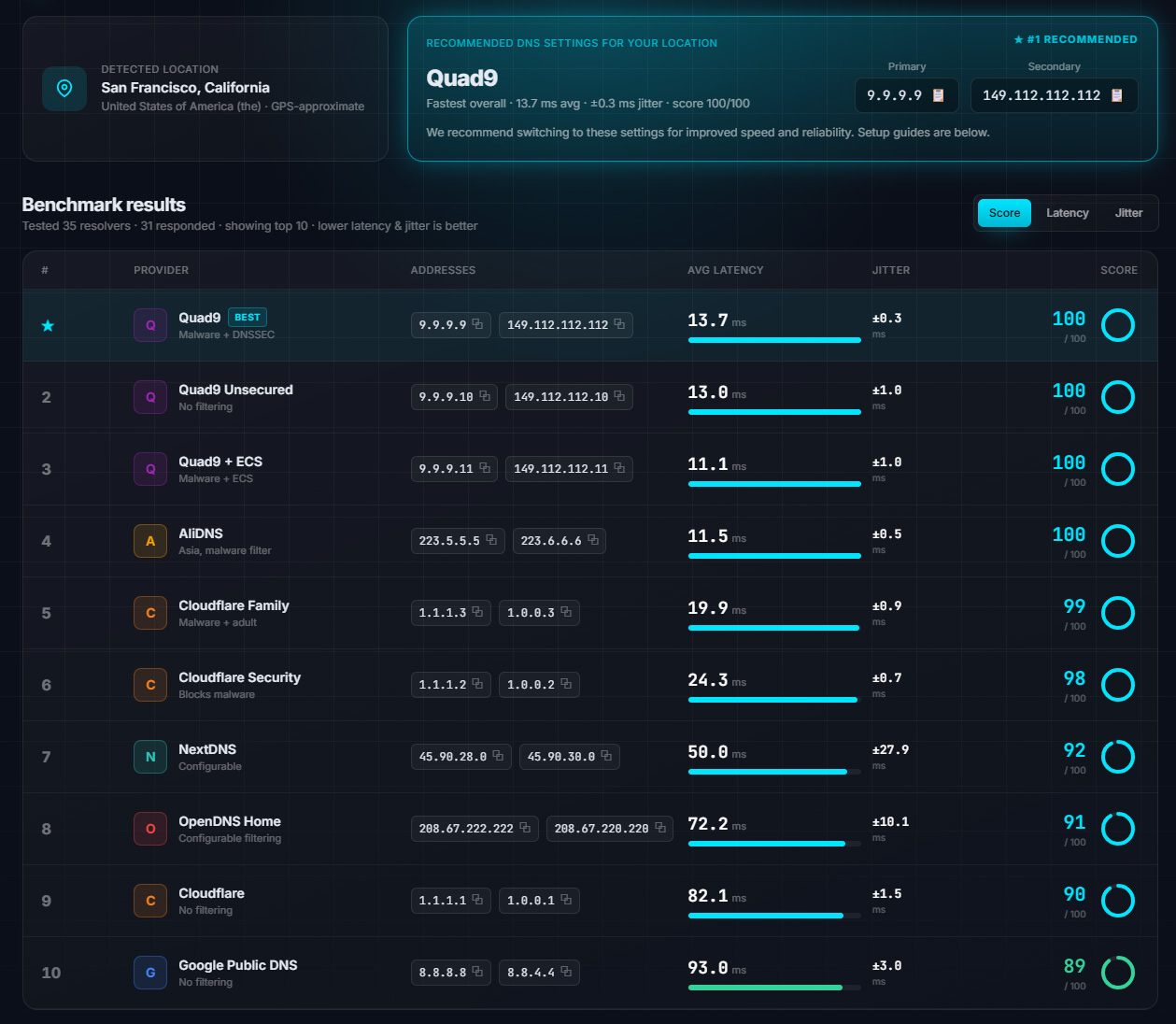
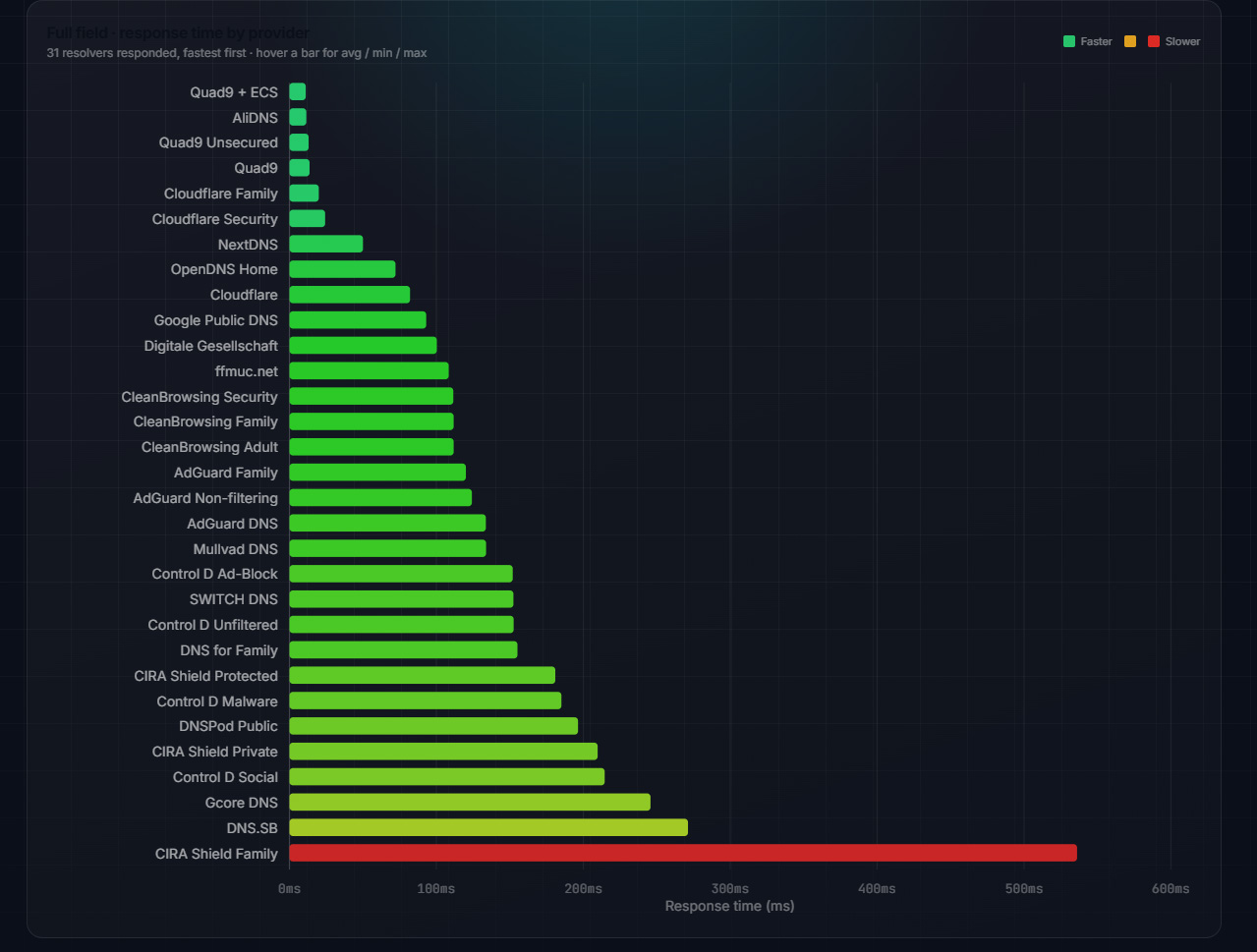
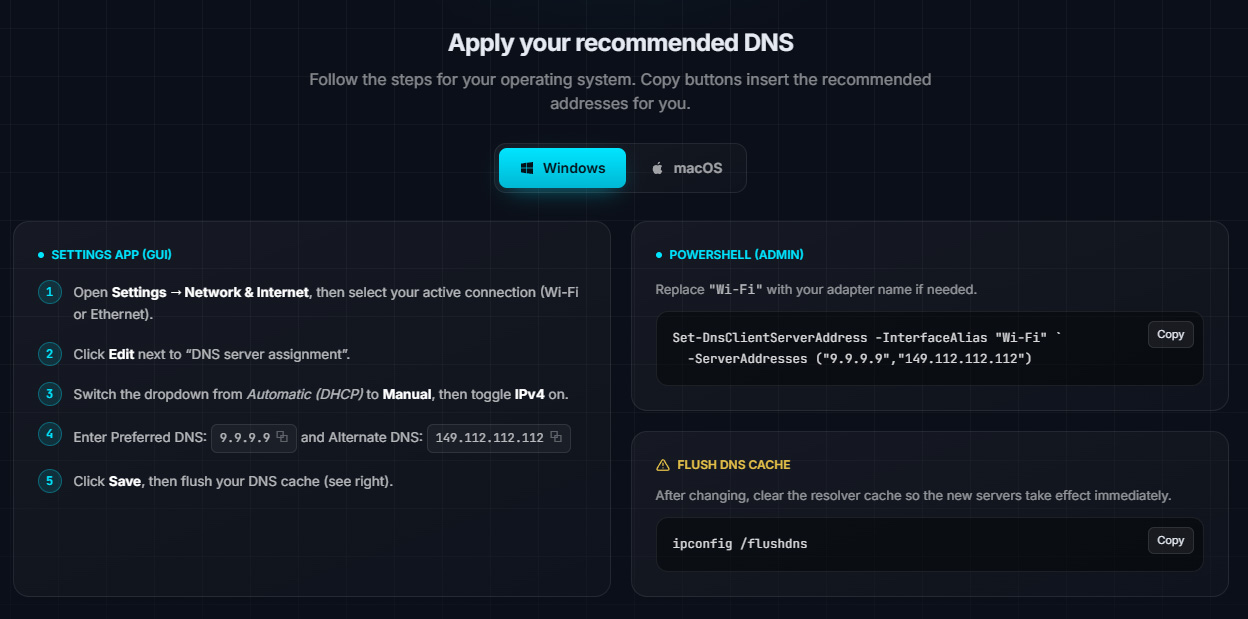
Genuine output from a benchmark run in San Francisco, California — the live tool on the homepage produces exactly the same dashboard for your location.
From one click to a faster connection in four steps
Detect your location
Your approximate location is detected (with graceful network-based fallback if you decline) so results are interpreted for where you actually are.
Probe 35+ resolvers
Timed, encrypted DoH queries run in parallel against every major public resolver — real requests over your real connection, not simulated numbers.
Score transparently
Latency, jitter and the 70/30 composite score are computed for the full field, with outliers discarded so a single slow packet can't skew a rank.
Apply in minutes
You get a ranked table, a #1 recommendation with copy-ready addresses, and step-by-step Windows and macOS guides — GUI and terminal included.
Four wins from one small change
Speed
Switching takes two minutes and costs nothing — yet it's often the single biggest browsing-feel upgrade available on an otherwise unchanged connection.
Stability
Video calls, cloud gaming and live streaming all depend on steady name resolution — a consistent resolver removes the random stalls users blame on Wi-Fi.
Security
Several ranked providers — Quad9, CleanBrowsing, Control D and others — block known malware and phishing domains at the resolver level, before a connection is ever made.
Reliability
Anycast networks run by major resolvers rarely go down — a well-chosen primary/secondary pair keeps name resolution working even when one provider has a bad day.
Takes ~10 seconds · No signup · Runs entirely in your browser